DriveTrain Subsystem
Background
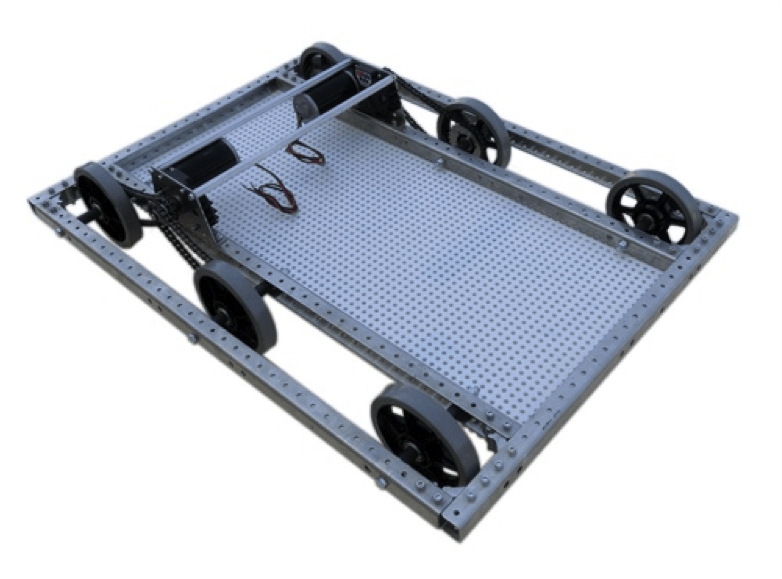
All FRC robots require a drivetrain in order to move around. The three most popular types of robot drivetrain designs are tank, swerve, and mecanum. My team has repeatedly usen tank drive with two arcade joysticks. I will go through the code on how to write the most basic of this subsystem and its uses. There are more unique things that can be done with the drivetrain and I have not gone over the Autonomous commands which can be made.
RobotMap
As with all motors and sensors, the drive motors should be instantiated as static
variables of RobotMap. The WPI_TalonSRX class used to program the motors has to be
imported seperatley and each ID has to be set in the talon tuner, instructions for this
can be found in my description of RobotMap. Each ID should
be stored as a constant within the Constants class.
If using more than one motor on each side (which is very likely)
a SpeedControllerGroup object is needed for each side as well. Then you can finally
make a DifferentialDrive object which will be used in our DriveTrain class.
Note: Each
WPI_TalonSRX drive motor should be tested indvidually (In teleopPeriodic: Robot.motor.set(0.1))
to determine whether it is driving forward when given a positive value. Motors on right side of
the robot should be driving backwards when given a postive value because the DifferentialDrive
class reverses right side motors. Orientation can be reversed by .setInverted(true);
                                public static WPI_TalonSRX lFrontDrive;

                                public static WPI_TalonSRX lBackDrive;

                                public static WPI_TalonSRX rFrontDrive;

                                public static WPI_TalonSRX rBackDrive;


                                public static SpeedControllerGroup leftSide;

                                public static SpeedControllerGroup rightSide;


                                public static DifferentialDrive driveBase;

                                public static void init() {

                                lFrontDrive = new WPI_TalonSRX(Constants.LEFT_FRONT_DRIVE_ID);

                                lBackDrive = new WPI_TalonSRX(Constants.LEFT_BACK_DRIVE_ID);

                                rFrontDrive = new WPI_TalonSRX(Constants.RIGHT_FRONT_DRIVE_ID);

                                rBackDrive = new WPI_TalonSRX(Constants.RIGHT_BACK_DRIVE_ID);


                                //Adjust Accordingly

                                lFrontDrive.isInverted(false);

                                lBackDrive.isInverted(false);

                                rFrontDrive.isInverted(true);

                                rBackDrive.isInverted(true)


                                leftSide = new SpeedControllerGroup(lFrontDrive, lBackDrive);

                                rightSide = new SpeedControllerGroup(rFrontDrive, rBackDrive);


                                driveBase = new DifferentialDrive(leftSide, rightSide);

                                }
DriveTrain
In this class which will be used to Control the robot's movement. The most basic
version of this class will have the methods
initDefaultCommand() move(double left, double right) drive() stop().
More methods for PID movement and other things can also be added. In the 2019 season,
I developed a speed movement system in which the drivetrain speed follows a sigmoid curve
to allow for smooth movements, I will share and explain this code in a future post.
                                public class DriveTrain extends Subsystem {


                                @Override

                                public void initDefaultCommand() {

                                     //This Command will be explained below on this page

                                     setDefaultCommand(new TankDrive());

                                }


                                public void move(double left, double right) {

                                     RobotMap.driveTank.tankDrive(left, right);

                                }


                                public void tankDrive() {

                                     double left = Robot.oi.j0.getY();

                                     double right = Robot.oi.j1.getY();

                                     move(left, right);

                                }


                                public void stop() {

                                     RobotMap.driveTank.stopMotor();

                                }


                            }
Robot
Same as all Subsystem and Sensor classes we make, they each should be instantiated as static variables in the Robot class. This is how DriveTrain is instantiated as well.
                                public class Robot extends TimedRobot {


                                public static OI oi;

                                public static DriveTrain driveTrain;


                                @Override

                                public void robotInit() {

                                     RobotMap.init();

                                     driveTrain = new DriveTrain();

                                     //OI gets instantiated LAST!

                                     oi = new OI();

                                }

                                /* More Code */

                            }
Drive Command
This is the command which allows for human control over the drivetrain movement since it will get called over and over as the defualt command of the DriveTrain class. For detailed info on how Commmand classes work, go to the Command Post.
                            public class Drive extends Command {


                            public Drive() {

                                 requires(Robot.driveTrain);

                            }


                            @Override

                            protected void initialize() {

                            }


                            @Override

                            protected void execute() {

                                 Robot.driveTrain.tankDrive();

                            }


                            @Override

                            protected boolean isFinished() {

                                 return false;

                            }


                            @Override

                            protected void end() {

                                 Robot.driveTrain.stop();

                            }


                            protected void interrupted() {

                                 end();

                            }


                        }